Quick Verdict
The MacBook Air M4 doesn’t reinvent the Air. It doesn’t suddenly become a gaming monster. It doesn’t magically turn into a MacBook Pro either.
What Apple did instead is more dangerous to the competition: they refined an already excellent machine into something that feels frustratingly hard to criticize.
The M4 chip is faster, cooler, and more efficient than most people realistically need. The silent fanless design still feels futuristic. Battery life remains elite. The keyboard is excellent. The trackpad is still untouchable. And now that 16GB RAM is standard, the biggest complaint about previous Air models is basically gone.
What’s Great
- Outstanding battery life
- Silent fanless operation
- M4 performance feels ridiculously fast
- Excellent keyboard and trackpad
- Premium build quality
- Now starts with 16GB RAM
- Portable enough for daily travel
What’s Missing
- Still only a 60Hz display
- Limited port selection
- Thermal throttling under long heavy loads
- Gaming support on macOS remains inconsistent
- Base 256GB storage still feels stingy
Specs Overview
8-core or 10-core GPU
500 nits
60Hz
MagSafe
Headphone jack
Design & Build Quality
The moment you pick up the MacBook Air M4, you immediately understand why this design has barely changed.
It still feels like the gold standard for ultraportable laptops. Thin without feeling fragile. Light without feeling hollow. Dense without being heavy.
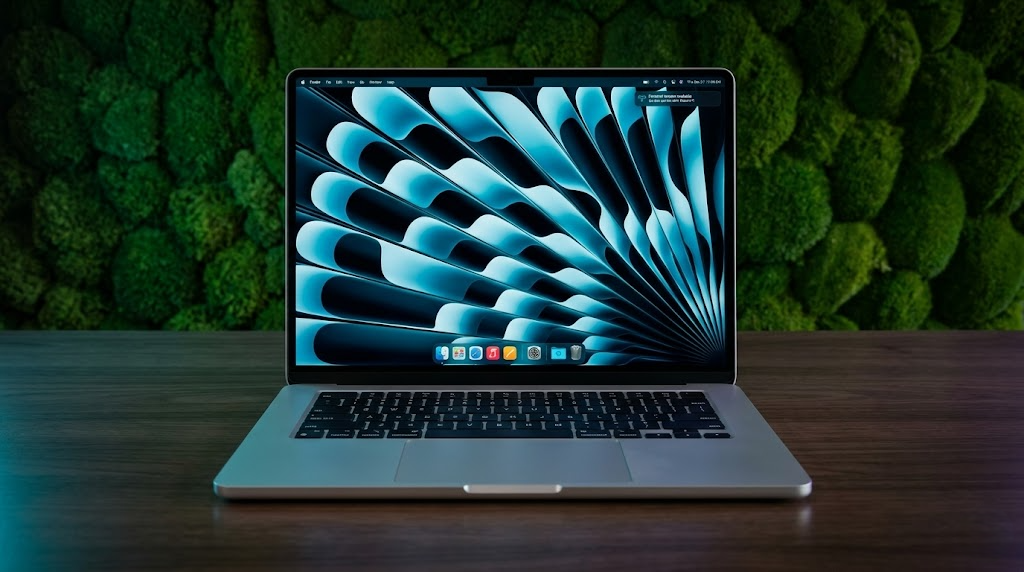
I used the Sky Blue model for most of this review period, and in certain lighting it looks gorgeous. In others, it almost appears silver. Apple clearly played it safe here. If you expected a vibrant blue statement machine, this isn’t that.
Display: Beautiful… But Still 60Hz
Apple’s 13.6-inch Liquid Retina display remains sharp, color-rich, and incredibly comfortable for long sessions.
Brightness hits around 500 nits, which is perfectly usable outdoors unless you’re under harsh direct sunlight. Colors are vibrant without looking cartoonish, and text rendering is still among the best in the industry.
But there’s an elephant in the room now: 60Hz.
Once you’ve used a 120Hz laptop, especially premium Windows ultrabooks, you absolutely notice the difference. Scrolling isn’t as fluid. Animations feel less alive. It’s not bad — it just feels increasingly outdated for a premium machine in 2026.
Performance: The M4 Is Seriously Fast
This is where the MacBook Air M4 becomes genuinely impressive.
The new M4 chip delivers a meaningful jump in CPU performance over the M3, especially in multi-core tasks. Benchmarks consistently show roughly 15–25% gains depending on workload, and in real usage, the machine feels instant. Apps launch immediately. Safari tabs don’t phase it. Lightroom exports fly. Xcode compilation is noticeably faster. Even moderate 4K editing feels surprisingly comfortable.
The biggest thing you notice isn’t benchmark numbers — it’s consistency. The Air remains fast whether plugged in or on battery. Windows ultrabooks still often reduce performance dramatically when unplugged. The Air doesn’t feel compromised away from the charger.
Thermals & Sustained Performance
The fanless design is both the MacBook Air’s greatest strength and its biggest limitation.
For normal productivity, it’s magical. Complete silence. No fan spin-up during meetings. No annoying whine in quiet cafés. No hot air blasting your hand while writing late at night.
But physics still matters.
When exporting long videos, running sustained Blender renders, or gaming heavily for extended periods, the chassis gets warm — especially around the top keyboard deck. Eventually, thermal throttling kicks in.
Gaming Performance
Let’s be honest: nobody buys a MacBook Air primarily for gaming.
But surprisingly, the M4 Air is more capable than many people expect.
Older titles, indie games, Apple Silicon-native games, and lighter competitive titles run very well. Games like Civilization VI, Minecraft, Resident Evil Village, and Lies of P are absolutely playable.
The bigger problem isn’t raw power anymore. It’s macOS compatibility.
Frame rates in demanding AAA games still trail dedicated gaming laptops badly, and the lack of active cooling means sustained gaming sessions eventually throttle performance. This is not an RTX gaming replacement.
Keyboard, Trackpad & Daily Experience
Apple’s keyboard remains one of the easiest laptop keyboards to live with long term.
Key travel is shallow compared to mechanical enthusiasts’ dreams, but it’s quiet, precise, and incredibly consistent. I wrote thousands of words on this machine without finger fatigue.
The trackpad is still absurdly good.
Even now, Windows manufacturers still haven’t fully matched Apple’s combination of size, palm rejection, gesture fluidity, and haptic feedback.
- The charger is compact enough to disappear inside a sling bag
- Using it on a couch feels comfortable because it rarely gets hot
- Late-night work sessions are excellent thanks to silent operation
- The battery reduces “charger anxiety” dramatically
- Typing in cafés is pleasant because there’s no loud fan noise
- The speakers remain shockingly good for such a thin machine
Battery Life & Charging
The MacBook Air M4 continues Apple’s tradition of making other laptop batteries feel embarrassing.
In real-world mixed use — Chrome tabs, Slack, Spotify, Lightroom, writing, YouTube, and messaging — the Air comfortably lasted a full workday with battery remaining.
Some lighter days stretched into a second day without needing the charger.
Charging via MagSafe remains underrated. The magnetic connector still feels safer and more convenient than standard USB-C charging in busy workspaces.
Webcam, Speakers & Connectivity
MacBook Air M4 vs The Competition
| Laptop | Strength | Weakness |
|---|---|---|
| MacBook Air M4 | Battery life, silence, portability | 60Hz display, limited gaming |
| Dell XPS 13 | Modern OLED options, sleek design | Battery and thermals less consistent |
| ASUS Zephyrus G14 | Real gaming performance | Heavier, louder, shorter battery |
| MacBook Pro 14 | 120Hz display, sustained workloads | More expensive |
Who Should Buy the MacBook Air M4?
- You want the best ultraportable experience
- You travel frequently
- You value silence and battery life
- You mainly do productivity or creative work
- You want a long-lasting laptop
- You need serious AAA gaming
- You run heavy sustained workloads daily
- You need lots of ports
- You want a high refresh-rate display
- You constantly render large 3D projects
Final Verdict
The MacBook Air M4 is not revolutionary.
And honestly, that’s exactly why it’s so good.
Apple didn’t try to chase gimmicks. Instead, they refined almost everything people already loved about the Air:
- better performance
- better efficiency
- better webcam
- better monitor support
- more RAM by default
The result is a laptop that feels incredibly polished and easy to live with.
It’s the kind of machine that disappears into your life in the best way possible. You stop thinking about battery percentage. You stop hearing fans. You stop worrying whether it can handle your workload.
FAQ
Is the MacBook Air M4 good for gaming?
For casual and moderate gaming, yes. But serious AAA gamers should still buy a dedicated gaming laptop or desktop.
Does the MacBook Air M4 overheat?
Under regular use, rarely. Under sustained heavy loads like rendering or gaming, it gets warm and eventually throttles due to the fanless design.
Is 16GB RAM enough?
For most users, absolutely. It’s finally the correct baseline for a premium laptop in 2026.
Should you buy the Air or the Pro?
If you prioritize portability, silence, and battery life, buy the Air. If you do heavy sustained creative work daily, get the Pro.
Benchmark observations and technical impressions are based on aggregated testing data and real-world reviewer analysis from major laptop reviewers and publications.
Disclaimer: Images used in this article are for illustrative purposes only. All photos belong to their respective owners. If you are the copyright holder of any image and wish to request removal or credit update, please contact us.